

App · Star Citizen · free
BEACON OPS
The pilot’s onboard terminal, on PC and phone: loadouts, mining, trading, crafting and every forum guide, in one place.
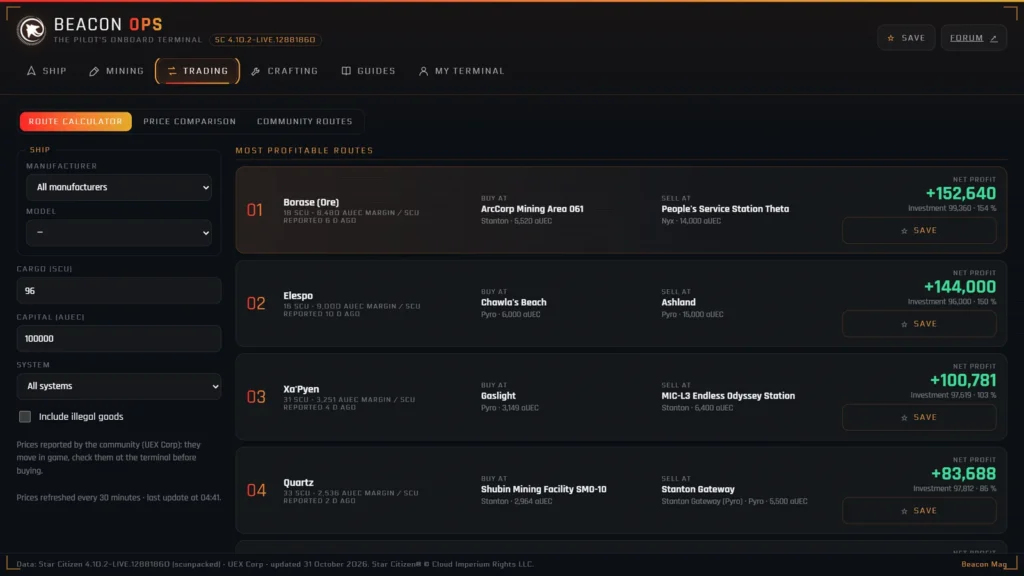
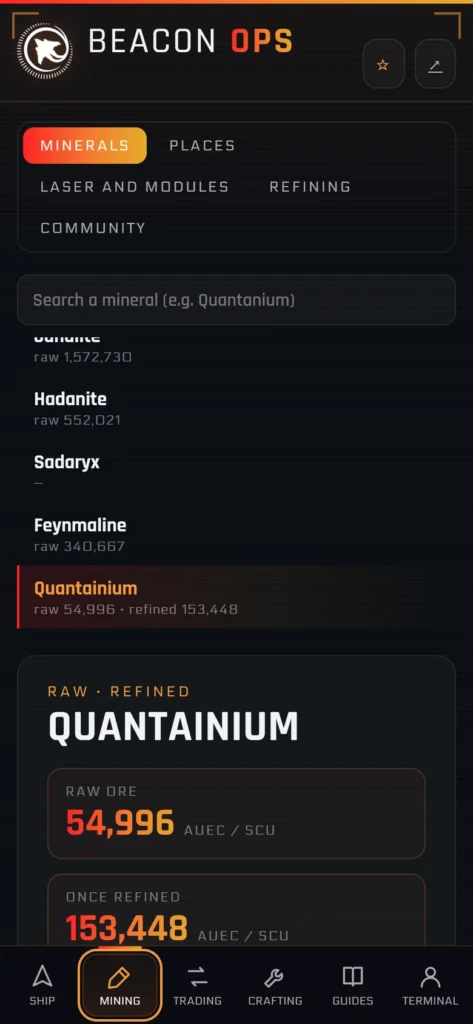
Seven tabs, all of Star Citizen
Ship
Every ship in the game, their components and a comparison tool: build your loadout, see its performance and where to buy each part.
Mining
Where to find each ore, its content and quality, laser heads and modules, refining and the best selling prices.
Trading
The most profitable routes for your ship and budget, with prices refreshed every 30 minutes.
Crafting
Every blueprint in the game, their resources, and recipes shared by players.
Mapping
Every game control (keyboard and mouse, gamepad, joystick and HOTAS), activation modes and axis settings: build your mapping, save it into the game and share it with the community.
Guides
Guides, activities, ship pages, worlds and tips from the forum, with a search across every guide.
My terminal
Your saved loadouts, trade routes and favourite views, the interface colour, text size and start tab.
Game files (PC)
The PC app backs up your Star Citizen bindings, control profiles, characters and settings (LIVE, PTU, Tech Preview), and puts them back in a few clicks after a patch.
Always up to dateGame data, prices and guides update by themselves; the PC app installs its new versions on its own.
Share your tipsMining spots, routes and recipes: shared from the app (Discord sign-in), they also show up on the website.
No trackingYour saves and settings stay on your device. No ads, no personal statistics.
Even offlineThe app keeps its latest data: you can use it even without a connection.
Download and install
Windows
Download the installer116 MB- Run the downloaded file.
- If Windows shows “Windows protected your PC”: “More info”, then “Run anyway”.
- Choose the install folder and you are done: Beacon OPS is on your desktop and in the Start menu.
Android
Open the app- Open the app page on your phone.
- Tap “Install app” (or menu ⋮ › “Add to Home screen”).
- Beacon OPS opens full screen from its icon, like any app.
iPhone · iPad
- Open the app page in Safari.
- Tap the Share button (square and arrow), then “Add to Home Screen”.
- Tap “Add”: the Beacon OPS icon shows up with your apps.
Frequently asked questions
Is it free?
Yes, entirely: PC app, mobile version and web version. Beacon OPS is a Beacon Mag community project.
Windows shows “Windows protected your PC”. What should I do?
This is normal for a small free app without a paid certificate (yet): click “More info”, then “Run anyway”. The message will not come back afterwards.
How do updates work?
Data (ships, prices, guides) refreshes every time you open it. The PC app also checks at start-up, then every six hours, for a new version: it downloads it and offers to restart.
Where are my saves kept?
On your device only. In My terminal, “Export” creates a file you can “Import” on another PC or phone.
Are my bindings and characters safe?
The PC app reads the game files and keeps a copy on your PC, without sending anything. To put them back, it adds your bindings as a new control profile to load in the game: your current files are never overwritten, and they are backed up before each restore.
What about Mac or Linux?
Open the web version in Chrome or Edge, then “Install app” in the address bar: you get the same app, in its own window.
How do I uninstall it?
On PC: Windows Settings › Apps › Beacon OPS › Uninstall. On phone: long press the icon, then Remove.