

Beacon OPS: Star Citizen tools (ship, mining, trading, crafting)
Star Citizen 0 replies Followed by 0 members

Beacon Mag team Administrator
Welcome aboard Beacon OPS, the pilot’s onboard terminal by Beacon Mag. Four tools to plan your trips into the ’verse: kit out a ship, tune a mining laser, find the most profitable trade route and plan your crafting. It all opens right here, on top of the forum, without leaving the page.
🛰️ Why Beacon OPS?
- Wired to the game files: ships, their slots and the stats of every component come straight from Star Citizen (version 4.10.2), and are updated with every patch.
- Community prices: trading and minerals rely on the player reports collected by UEX Corp.
- Everything can be shared: every view has its own link. Paste it into a topic and your friends open the tool on exactly the same build, mineral or commodity.
- Like all of Beacon Mag: free, no account, no ads and no tracking. The boxes you tick stay in your browser.
🚀 Ship: the loadout manager
Pick from more than 230 ships, then swap weapons, shields, power plants, coolers and quantum drive. Only components of the right size are offered.
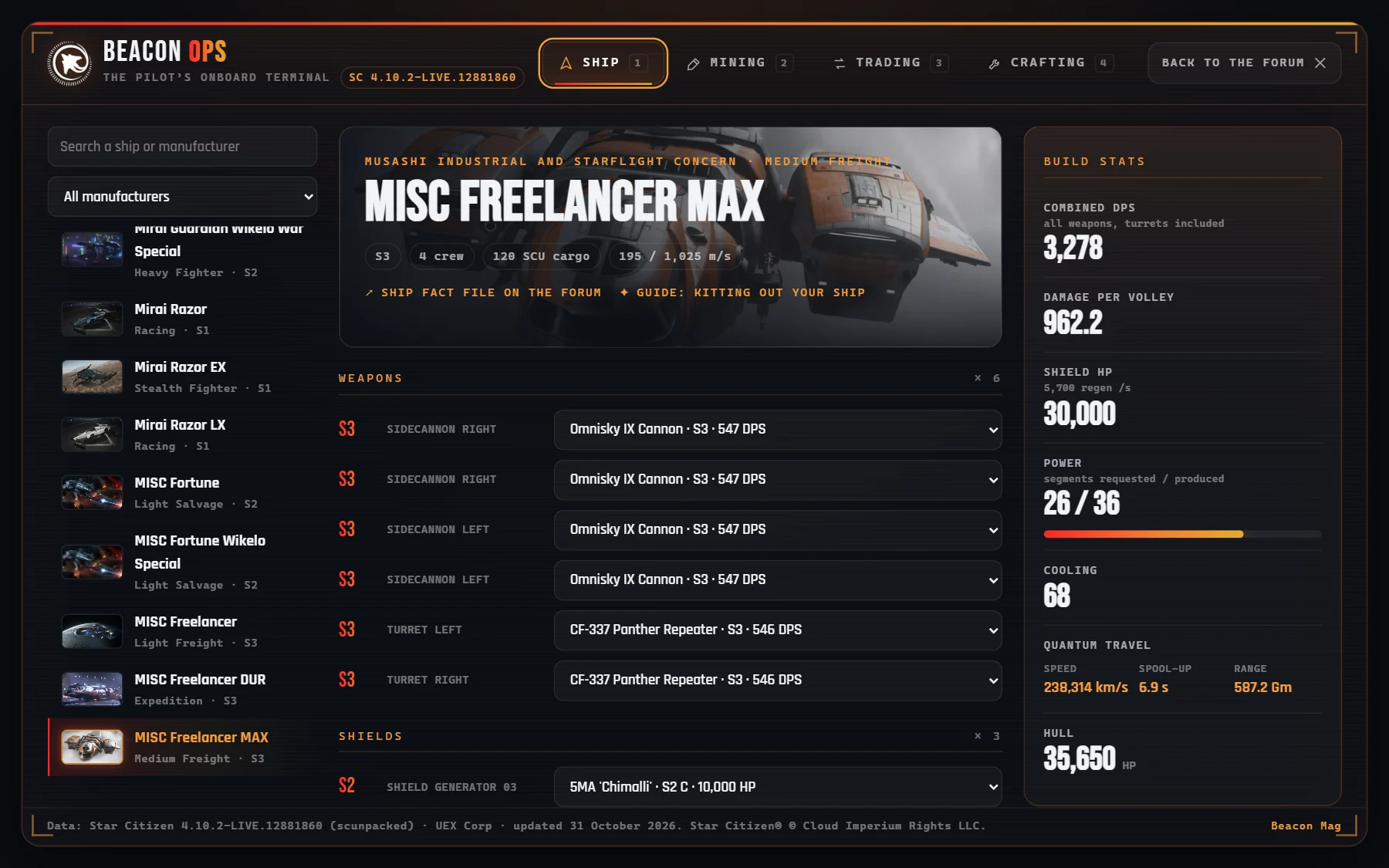
- Live stats: combined DPS, damage per volley, shield HP, power requested and produced, cooling, quantum speed and range, with the difference from the stock loadout.
- Export as image: a PNG card of your build, ready to post on the forum or on Discord.
- Copy the build link: your whole loadout fits in a link.
👉 Try it with the Anvil Arrow or the Drake Cutlass Black.
⛏️ Mining: minerals, laser and refining
- Minerals: sell price, best places to sell and the bonus of every refinery. The search is forgiving: “Quantanium” does find Quantainium.
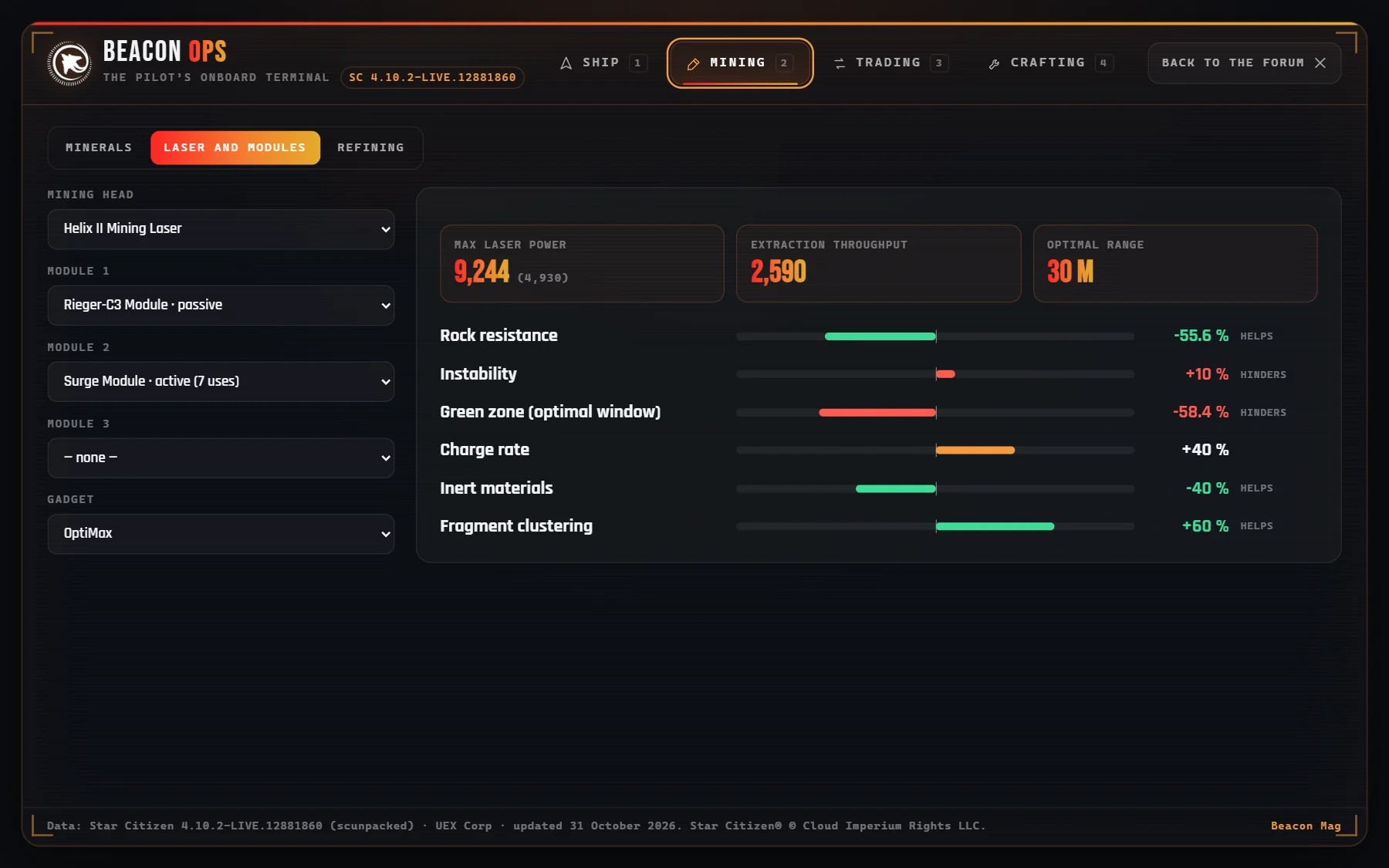
- Laser and modules: pick a head, its modules and a gadget; the tool works out the laser power and the combined effect on resistance, instability, the green zone, inert materials…
- Refining: quantity, method, refinery and yield give you the expected refined material and its resale value.
👉 Head for Quantainium.
💰 Trading: the most profitable route
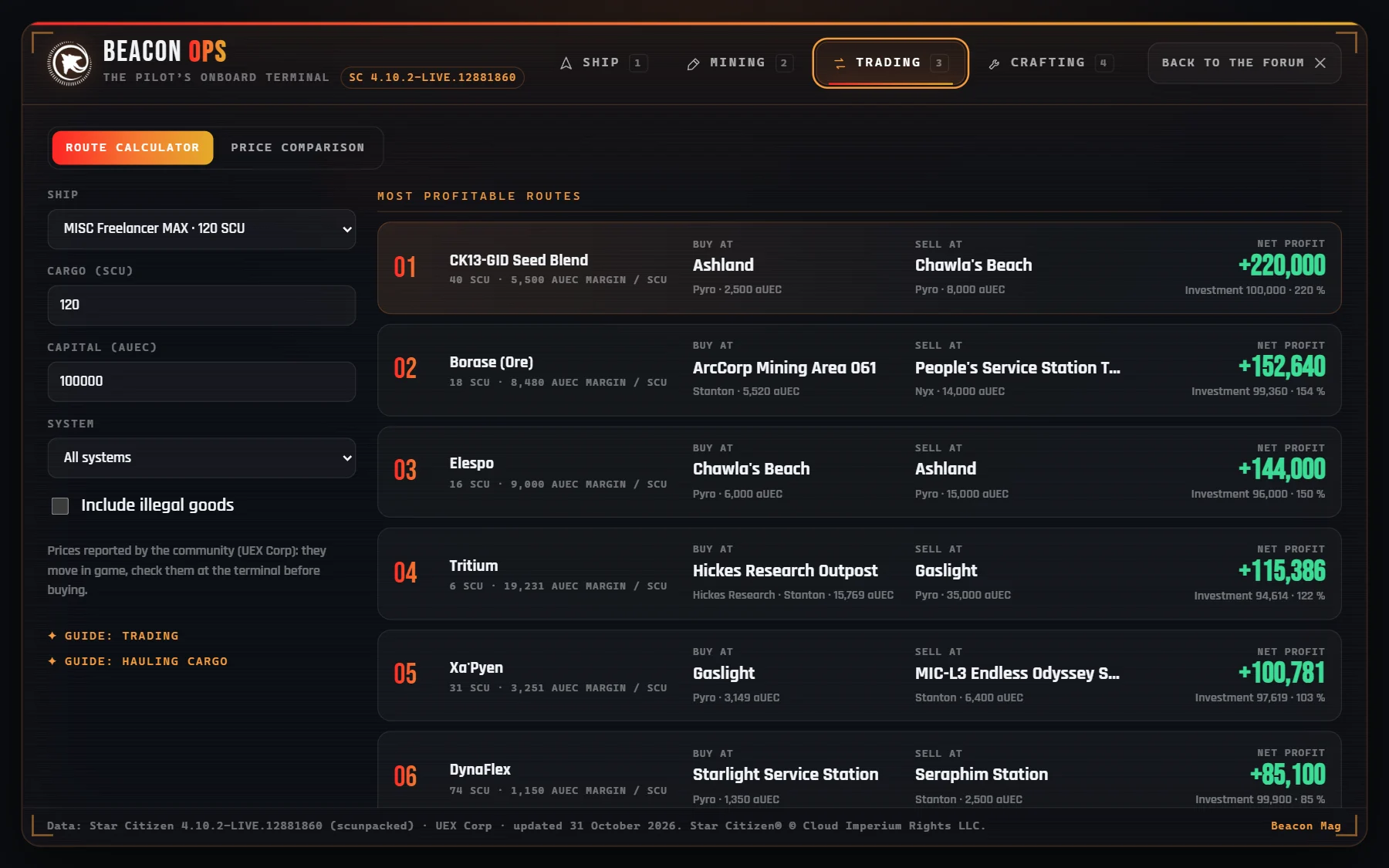
- Route calculator: enter your ship (the cargo fills in by itself), your capital and the system. The tool compares every commodity across all terminals and shows net profit, investment and margin per SCU, taking stock levels into account.
- Price comparison: for one commodity, every terminal that buys or sells it, from best to worst.
🛠️ Crafting: recipes and gathering tracker
Pick a blueprint and how many items to make: the tool multiplies the resources and lets you tick off what you have already gathered. For now, the recipes shown are demo recipes: the game’s blueprints are in its files, but their names are not readable yet. They will replace the demo as soon as they are.
🔗 Wired into the forum
- Every ship fact file now has a “Kit it out in Beacon OPS” button that opens the tool straight on that ship.
- In the tool, every ship links back to its fact file, and every tab to the matching guide (mining, trading, crafting, loadouts).
- Shortcuts: keys 1 to 4 to switch tabs, Esc to go back to the forum.
📡 Where does the data come from?
Ships and components are extracted from the game files (Data.p4k) by the community tool scunpacked; prices come from the player reports gathered by UEX Corp. A Beacon Mag script sorts them and updates them with every patch: no hand-kept database. Prices move in game: always check them at the terminal before buying.
An idea, a bug, a tool you are missing? Tell us in a reply. See you in the ’verse. o7
Star Citizen®, Roberts Space Industries® and Cloud Imperium® are registered trademarks of Cloud Imperium Rights LLC. Beacon OPS is a fan-made tool, not affiliated with Cloud Imperium Games.
Join the discussion
Sign in with DiscordYour Discord name and picture will sign your messages. Be courteous: inappropriate messages are removed.