


A cook who follows the recipe to the letter
Picture a cook who can’t improvise but works at superhuman speed. Hand them a recipe and they follow it line by line, never wondering what they’re making.
In a computer, the recipe is called a program: your web browser, a game, a messaging app. Each line is a tiny instruction, along the lines of “add these two numbers”, “compare these two values” or “store this result over there”.
Displaying a web page or playing a video takes billions of these little instructions. The processor runs through them so fast that everything feels instant.
Billions of switches
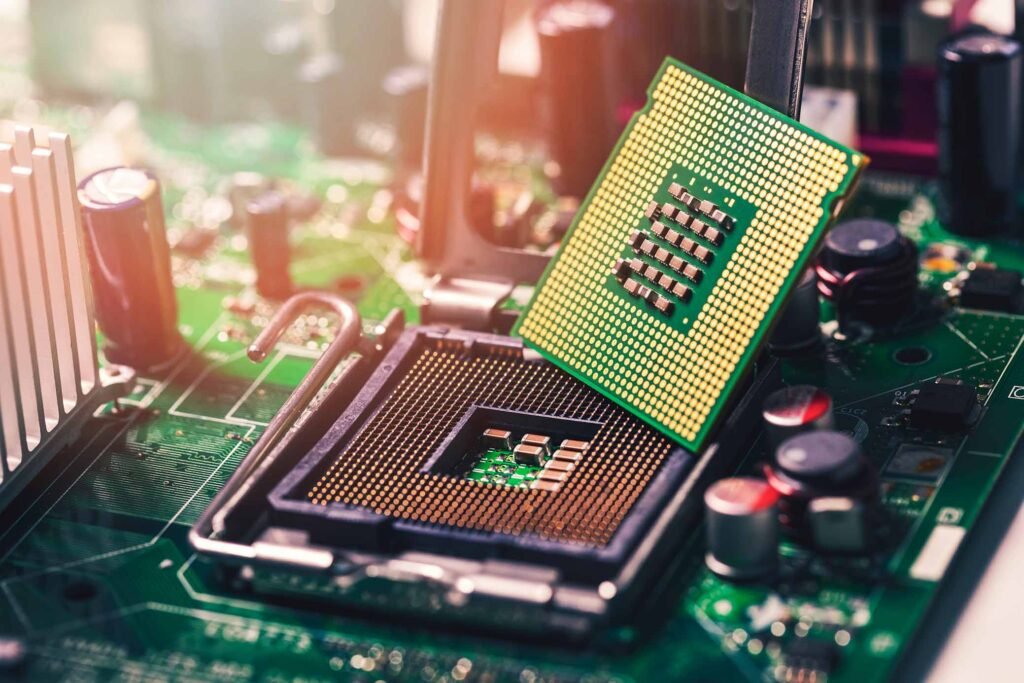
Put a chip under a microscope and you’d see transistors. Lots of transistors: several billion, and up to tens of billions on the latest models.
A transistor is a microscopic switch: it either lets current through or blocks it. Unlike the light switch in your living room, nobody presses it: another electrical signal controls it. That means transistors can drive one another, in a chain.
Those two states, “on” or “off”, match the 1s and 0s of binary. Each transistor is thousands of times thinner than a hair, which is how so many fit on such a small surface.
How you calculate with 0s and 1s
With just two digits you can write anything, as long as you line up enough of them. The letter A, for example, is stored as 01000001. To the processor, a photo, a song or a message is nothing more than a very long string of 0s and 1s.
To do calculations, transistors are grouped into small arrangements called logic gates. Each one answers a very basic question, such as “are both of my inputs switched on?”.
Taken one at a time, these gates can do almost nothing. Combined by the million, they add, compare and remember. It’s the building-block principle: very simple pieces, endless combinations.
Read, understand, execute
The processor repeats the same three-step routine endlessly:
- Read: it fetches the program’s next instruction from memory.
- Understand: it works out what is being asked, an addition or a comparison for instance.
- Execute: it performs the operation, stores the result, then moves on to the next one.
That’s all. Everything a computer does, from spreadsheets to 3D video games, comes down to this loop repeated billions of times a second.
A clock that sets the tempo
For billions of transistors to work together without tripping over each other, they need a conductor. That’s the job of the clock, an electrical signal that ticks at perfectly regular intervals.
Its pace is measured in gigahertz (GHz). A frequency of 3 GHz means 3 billion ticks per second. With each tick, the processor moves its calculations forward a step.
To give you an idea: in the blink of an eye, a 3 GHz processor has already ticked several hundred million times.
Several cores to work in parallel
For a long time, manufacturers made processors faster by speeding up the clock. But the faster a chip runs, the hotter it gets, and that race eventually hit its limits.
The solution: instead of one ever-faster cook, put several in the same kitchen. Each core is a small processor in its own right, able to follow its own recipe. That’s what lets you play a game, chat and listen to music at the same time without everything freezing.
A word of caution, though: doubling the number of cores doesn’t double the speed. Some tasks are hard to share out, like a recipe whose steps have to be done in order.
Cache memory: keeping everything within reach
A cook who went back to the pantry for every pinch of salt would waste an enormous amount of time. The processor has the same problem: the computer’s memory, the RAM, is far slower than it is.
So it has a small, ultra-fast memory built into the chip itself: the cache. That’s where it keeps the data it uses most often, like ingredients laid out on the work surface.
The bigger that work surface, the less time the processor spends waiting.
Why it gets hot
Every time a transistor flips from 0 to 1, it loses a tiny bit of energy as heat. Multiply that by billions of transistors and billions of ticks per second, and the chip quickly becomes scorching.
Hence the fan that revs up when you launch a game, and the phone that warms up during a video call. When the temperature climbs too high, the processor slows itself down to protect itself.
It’s also why manufacturers are after more energy-efficient chips, especially for battery-powered devices.
Decoding a spec sheet
A handful of numbers show up on every product page. Here’s what they mean.
| What you read | What it means | Good to know |
|---|---|---|
| Frequency (e.g. 3.5 GHz) | The number of clock ticks per second | Only comparable between chips of the same generation |
| Cores (e.g. 8 cores) | The number of “cooks” working in parallel | Mostly useful for multitasking, video editing and recent games |
| Threads (e.g. 16 threads) | The number of tasks the chip can juggle at once; some cores handle two | A thread isn’t worth a real core |
| Cache (e.g. 32 MB) | The size of the “work surface” | The bigger, the better |
| Process node (e.g. 3 nm) | How finely the transistors are manufactured | The smaller the number, the denser and more efficient the chip; these days it’s mostly a marketing label |
The classic trap is to look only at the gigahertz. At the same frequency, a recent chip gets far more done per tick than a chip from ten years ago.
Key takeaways
- A processor doesn’t think: it carries out very simple instructions, extremely fast.
- It’s made of billions of transistors, microscopic switches that represent 0s and 1s.
- The clock sets the pace, the cores share the work, the cache avoids needless back-and-forth.
- Gigahertz don’t tell the whole story: the chip’s generation and the number of cores matter just as much.




Comments 0
No comments yet: start the conversation!
Your Discord name and picture will sign your comment. Be courteous: inappropriate comments are removed.